

Albert

// For software teams and studios

Run the project. From call to code.

Albert is a desktop app for running software projects. It takes notes in your meetings, turns them into a plan, designs the screens, has Claude Code build them on a branch of your repository, and keeps your team's task board and your client up to date.

Free to start · No card

Available for Mac (Apple chip) Mac (Intel) Windows

Works with

// What you get

Six tools, one project.

Each one feeds the next. Use them together, or only the ones you need.

  1. 01MeetingsNotes, decisions and action items from Meet, Teams and Zoom calls. Albert can join and answer questions, or just listen.
  2. 02PlanningOne plan per project from your calls, links, screenshots, files and client emails, plus web research with sources.
  3. 03DesignReal HTML pages from the plan. A quick draft in minutes, or a full studio design.
  4. 04BuildClaude Code builds it in your repository, on a branch, checking each feature in Chrome.
  5. 05Task boardJobs, owners, due dates and status for the team, with email notices and a timeline.
  6. 06ClientsA signed-in page where your client follows the plan, sees updates, and approves or asks for changes.

// 01 — Meetings

Two ways to take part.

Paste a Google Meet, Microsoft Teams or Zoom link and choose one:

Join and speak

Albert joins as a guest called "Albert AI", in his own window, and someone admits him like any guest. He follows the call through its live captions. Say "Albert" and ask a question, and he answers out loud, from the project you picked for the call: its code, its plans, filed client emails and earlier meeting notes. He can also note what is shown on a shared screen.

Listen only

For calls that should not have an AI in them. Albert does not join, cannot speak, and nobody sees him. He listens through your computer's microphone and speakers while you take the call, and turns the speech into text on your computer.

  • After the call you get a summary, the decisions, and action items with an owner and a due date where they were said.
  • Nothing is shared until you review it. Share the summary, the summary and transcript, or keep it private. You can ask Albert to remove lines first.
  • Notes are saved in the project as a Markdown file and emailed to you. On a team plan, one click drafts board jobs from them, and you approve each draft.

// 02 — Planning

One plan per project, with sources.

// 03 — Design

Screens you can open in a browser.

// Designs it made

Real designs, not templates.

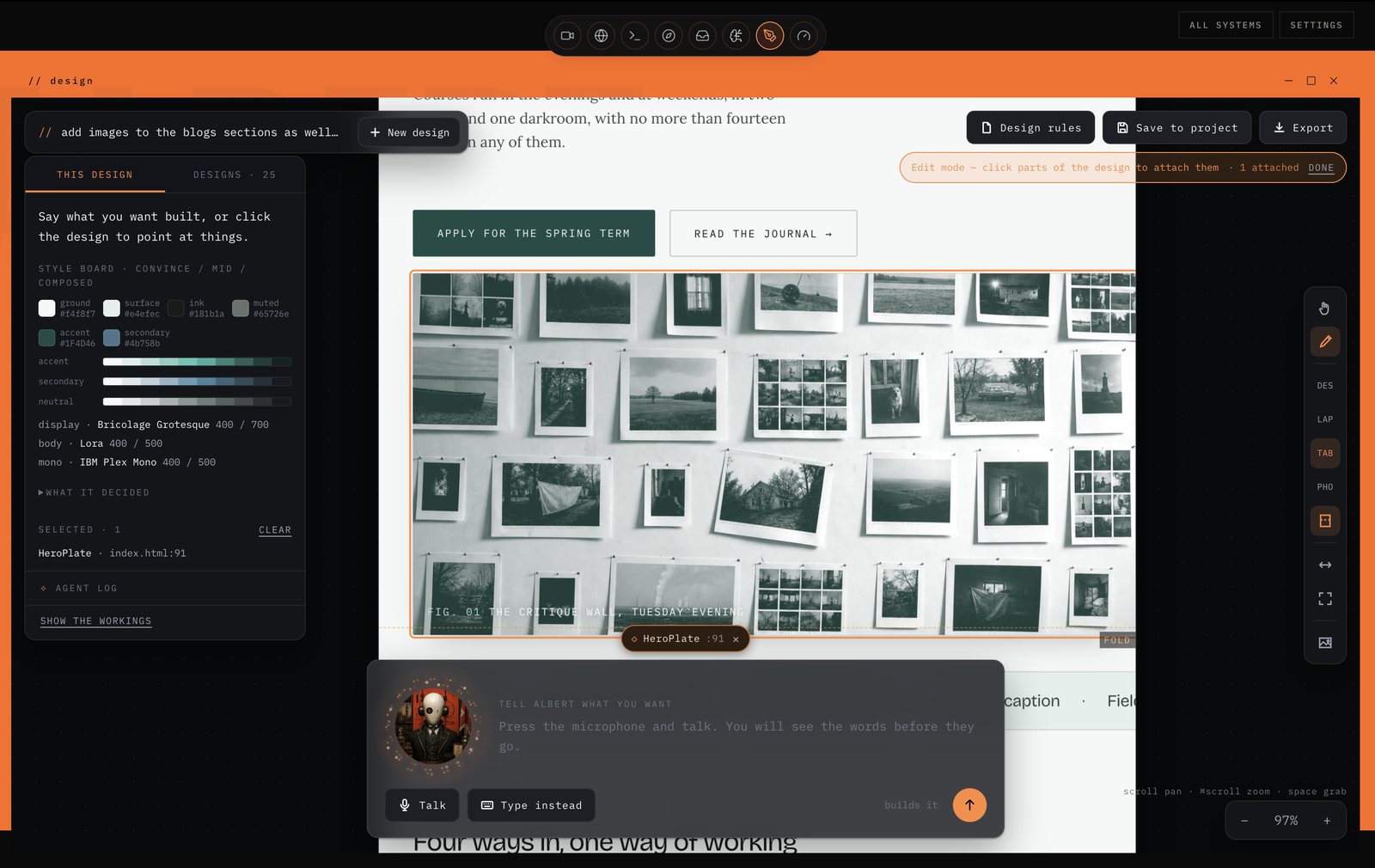
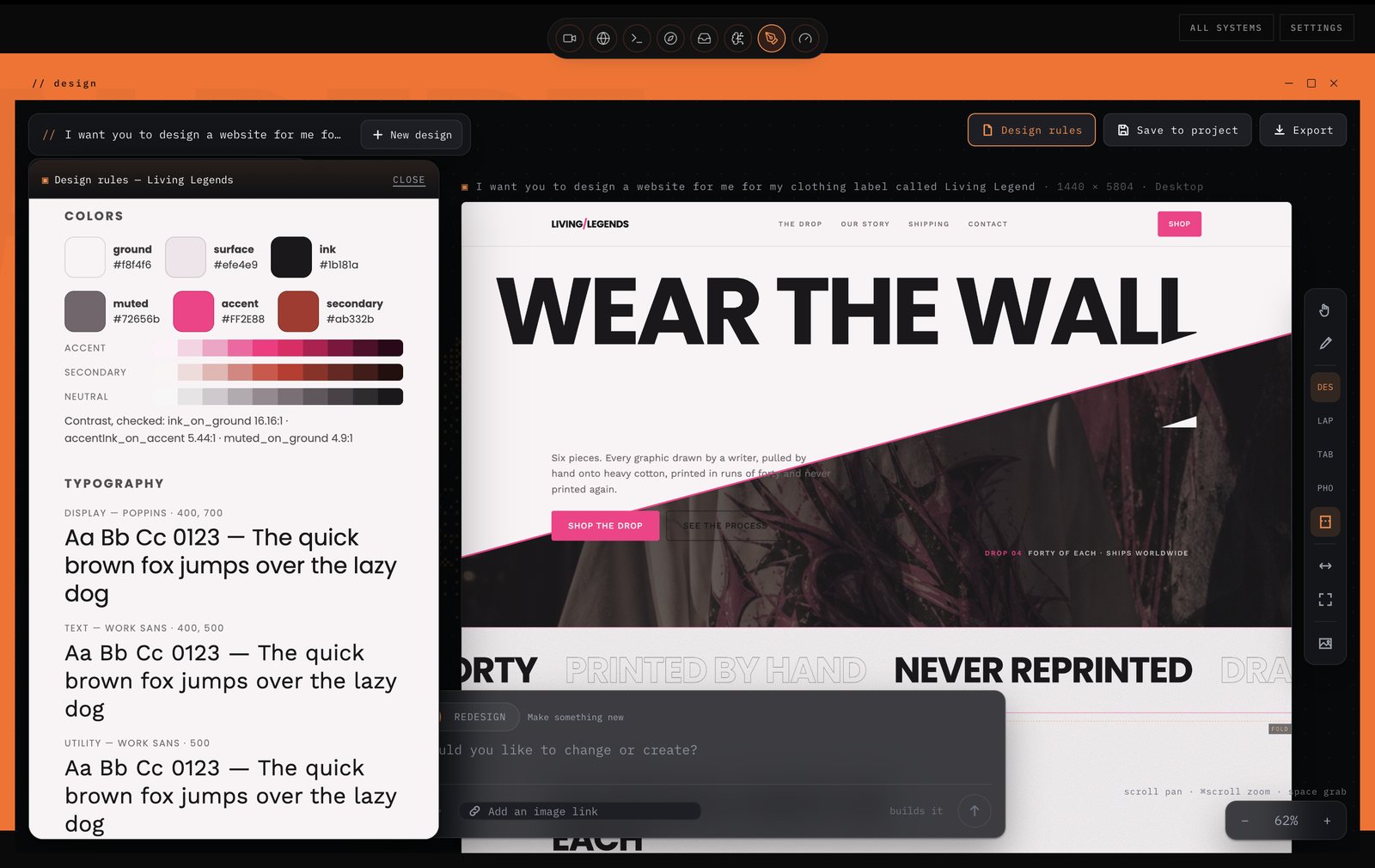
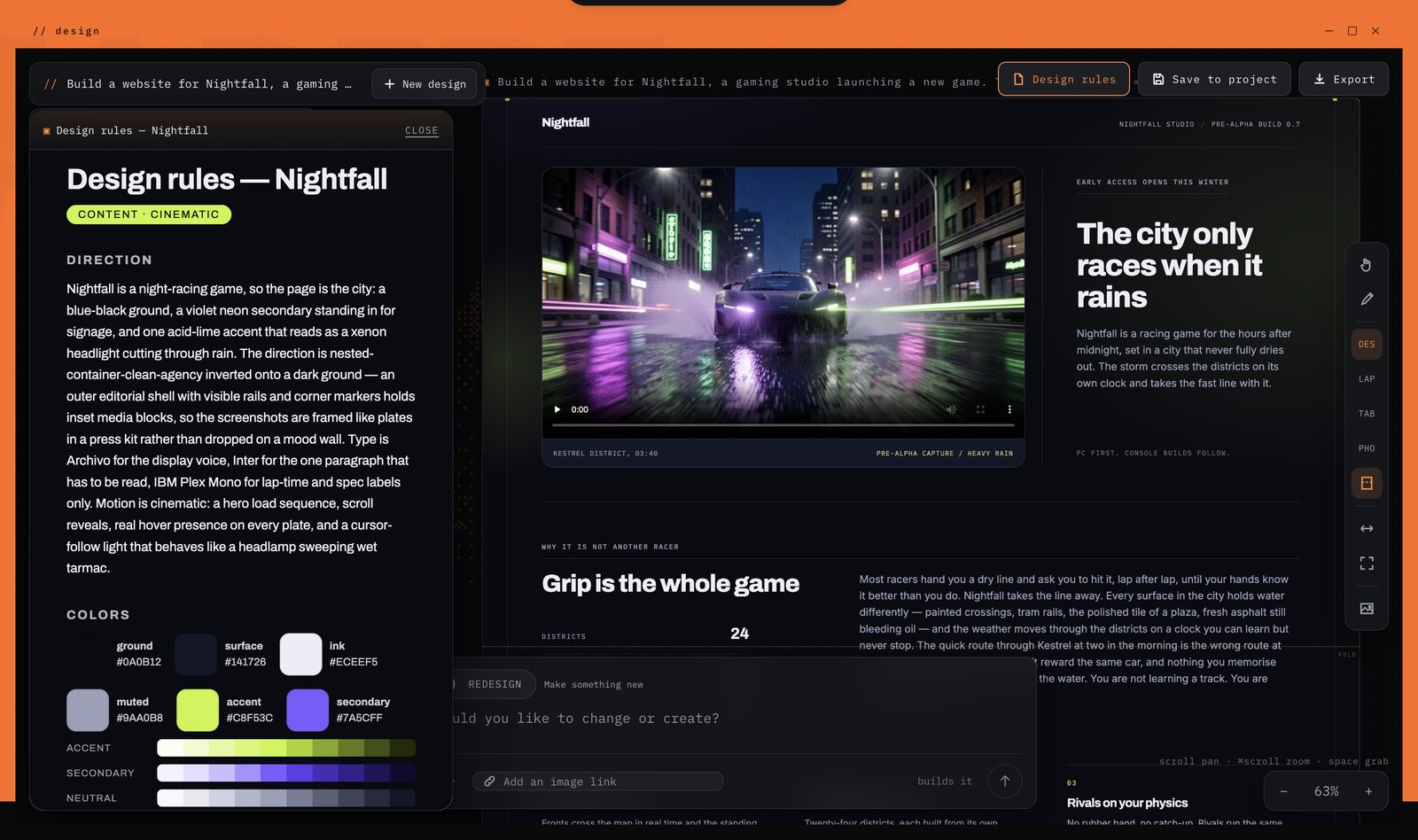
Straight out of the design studio: the design rules on the left, the page built from them on the right.

Albert's design studio mid-edit on the Fieldnote Academy page: the style board on the left, the built page on the right
Fieldnote AcademyDocumentary photography school
The Nightfall page Albert designed: a black sports car tearing down a rain-soaked neon street beside the headline NIGHTFALL
NightfallGames studioView the live design ↗
Albert's design studio: the design rules for Living Legends beside the page — WEAR THE WALL above a hot-pink seam
Living LegendsClothing label

Each started from a one-sentence brief.

// 04 — Build

Claude Code does the coding. You merge.

// 05 — Task board

Assign it. Track it.

  • Jobs with what you need: title, description, checklist, owner, due date, priority and status: to do, doing, review or done.
  • Everyone sees the same board. The creator or team lead edits a job; the owner moves it along. The lead can comment and tag people.
  • Email and in-app notices when a job is assigned to you, when your job is done, and when you are tagged.
  • What needs attention: overdue, due this week, urgent but not started, no owner, stuck in review, and anyone carrying far more than the rest. Plus a workload view per person.
  • A timeline of shared meetings, plans, designs and builds, job changes, comments and team members' commits.
  • On the web too: the board, the timeline and the team, for people who do not run the app. Team plan.

// 06 — Clients

Your client sees it move.

  • Invite your client to a plan by email. They sign in with that address and see the plan, reference images and "Latest from the studio".
  • Updates post themselves: finished designs, build screenshots and the pull request. You choose whether designs, progress and screenshots are shown.
  • They approve or ask for changes, reply to updates, and can ask Albert about the plan. Their messages land in your board chat and on Telegram.
  • Client emails, filed: connect a mailbox (read-only) and file emails into a project with a short summary. Albert uses them when answering.

// Also in the box

The parts that make it work.

// What you need

Before you start.

// Pricing

Start free.

A seat gets you Albert. The engines he runs on cost real money, so every plan includes an allowance and shows you what is left. No card to start.

Free

$0/month

Try each part on a real project, within monthly limits.

  • 2 designs a month, 5 edits each
  • 2 builds a month
  • Export anything you make
  • Uses your own Claude account for Claude Code
  • Save a design into a project
  • Hand a design to a build
  • Meetings that start design and build on their own

$5 of engine time included

Start free

IndividualThe whole loop

$49/month

Unlimited designs and builds for one person.

  • Unlimited designs and edits
  • Unlimited builds in your own repositories
  • A meeting can start design and build on its own, asking you before each step
  • Start a build from a saved design
  • Save designs into projects, with the full library and history
  • Uses your own Claude account for Claude Code

$50 of engine time included, then at cost

Coming soon

TeamFrom 2 seats

$39/seat/month

Everything in Individual, plus the tools for running a team and its clients.

  • Everything in Individual, on every seat
  • The task board, shared meetings, plans and designs, the timeline, and client pages
  • Or bring your own account and use that instead
  • See how much of the shared plan is left, and when it resets
  • Invite team members, and send notices from your own email address

$250 of pooled engine time included

Coming soon

// Ready when you are

Try it on your next project.

Free to start. No card.

Available for Mac (Apple chip) Mac (Intel) Windows